
Syntax Highlighting
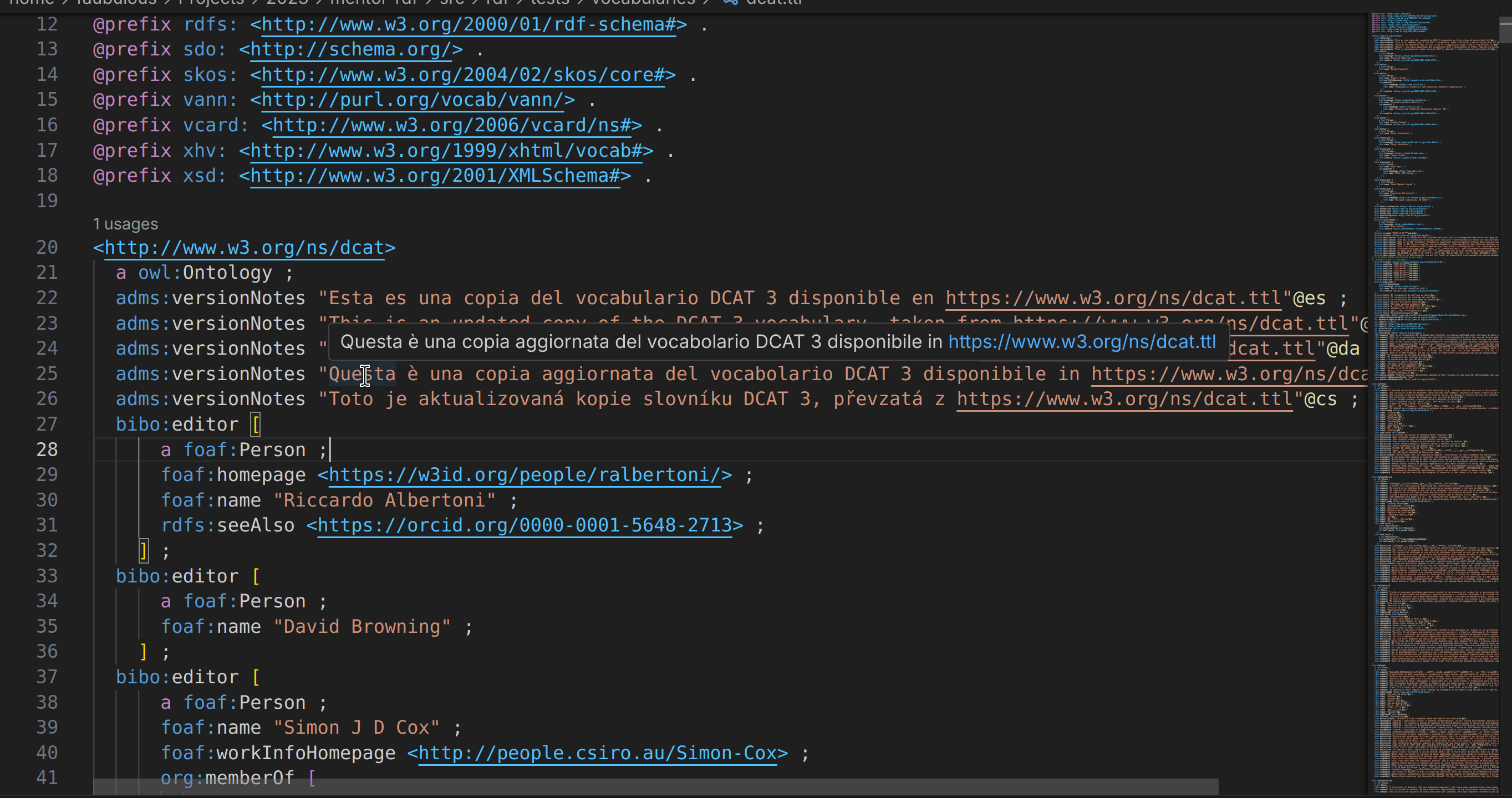
Syntax highlighting enhances the readability of RDF documents by applying color coding to different syntax elements. Mentor aligns token types with the array of RDF namespaces that are used to determine the labels for nodes in the Definitions Tree standard semantic tokens provided by Visual Studio Code to integrate seamlessly with the developer experience of other programming languages.
Supported Formats
Section titled “Supported Formats”Mentor supports syntax highlighting for the following RDF serialization formats:
| Format | Formatting | Description |
|---|---|---|
| SPARQL 1.2 | ✓ | A query language and protocol for RDF. |
| N-Triples 1.2 | ✓ | A line-based, plain text format for RDF data that can easily be streamed and used to flexibly combine data from multiple sources. |
| N-Quads 1.2 | ✓ | An extension of N-Triples that supports named graphs. |
| Turtle 1.2 | ✓ | A compact, human-friendly format for RDF data. |
| TriG 1.2 | ✓ | A Turtle-based format for representing RDF graphs with named graphs. |
| RDF/XML 1.2 | An XML-based syntax for representing RDF graphs. | |
| Datalog | Declarative programming language that is used to express and manipulate data. |
Code Formatting
Section titled “Code Formatting”Code formatting is a feature that allows you to automatically format your RDF documents according to a consistent style. This can improve the readability of your code and make it easier to maintain. Mentor provides code formatting support for RDF documents in the supported formats.
Formatting Settings
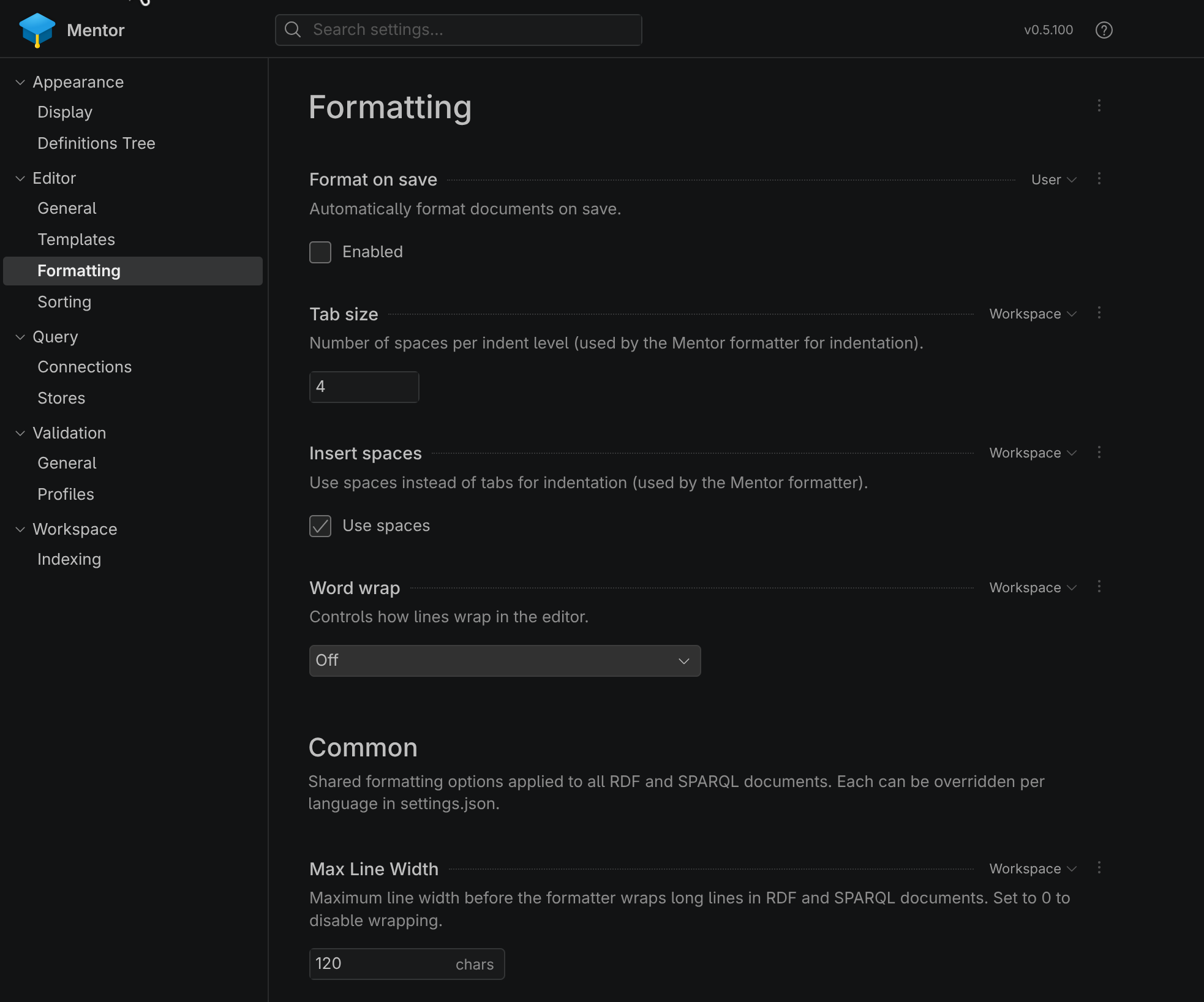
Section titled “Formatting Settings”The built-in formatter has a range of options which allow you to adjust the way documents are formatted. These
include the number of white spaces per indent, the use of tabs vs whitespaces, new lines after subject and many
more. You can access these in the Mentor Settings > Editor > Formatting section:
Format Conversion
Section titled “Format Conversion”Mentor provides format conversion capabilities that allow you to convert RDF documents between different serialization formats. This can be useful when you need to work with RDF data in a specific format or when you want to share your RDF data with others who may prefer a different format.
To convert an RDF document to a different format, you can use the “Convert Format” command. You can either access this command from the Command Palette (Ctrl+Shift+P) or by right-clicking on the editor and selecting “Convert Format..” from the context menu.
This will open a dropdown menu with the available target formats for conversion. Once you select a target format, Mentor will perform the conversion and display the converted document in a new editor tab.
The following table lists the supported format conversions in Mentor:
| N-Triples | N-Quads | Turtle | TriG | RDF/XML | Datalog | |
|---|---|---|---|---|---|---|
| N-Triples | ✓ | ✓ | ✓ | |||
| N-Quads | ✓ | ✓ | ✓ | |||
| Turtle | ✓ | ✓ | ✓ | |||
| TriG | ✓ | ✓ | ✓ | ✓ | ||
| RDF/XML | ✓ | ✓ | ✓ | |||
| Datalog |