
Code Lenses
Code Lenses are a powerful feature in Visual Studio Code that allows you to display contextual information and actions directly within code. Mentor currently provides code lenses to display usage information and SPARQL connections.
Usages Lens
Section titled “Usages Lens”The Usages Lens displays all the places where a particular resource is used within the workspace. With usage we are referring to all occurrences of a resource URI in either RDF data files or SPARQL queries.
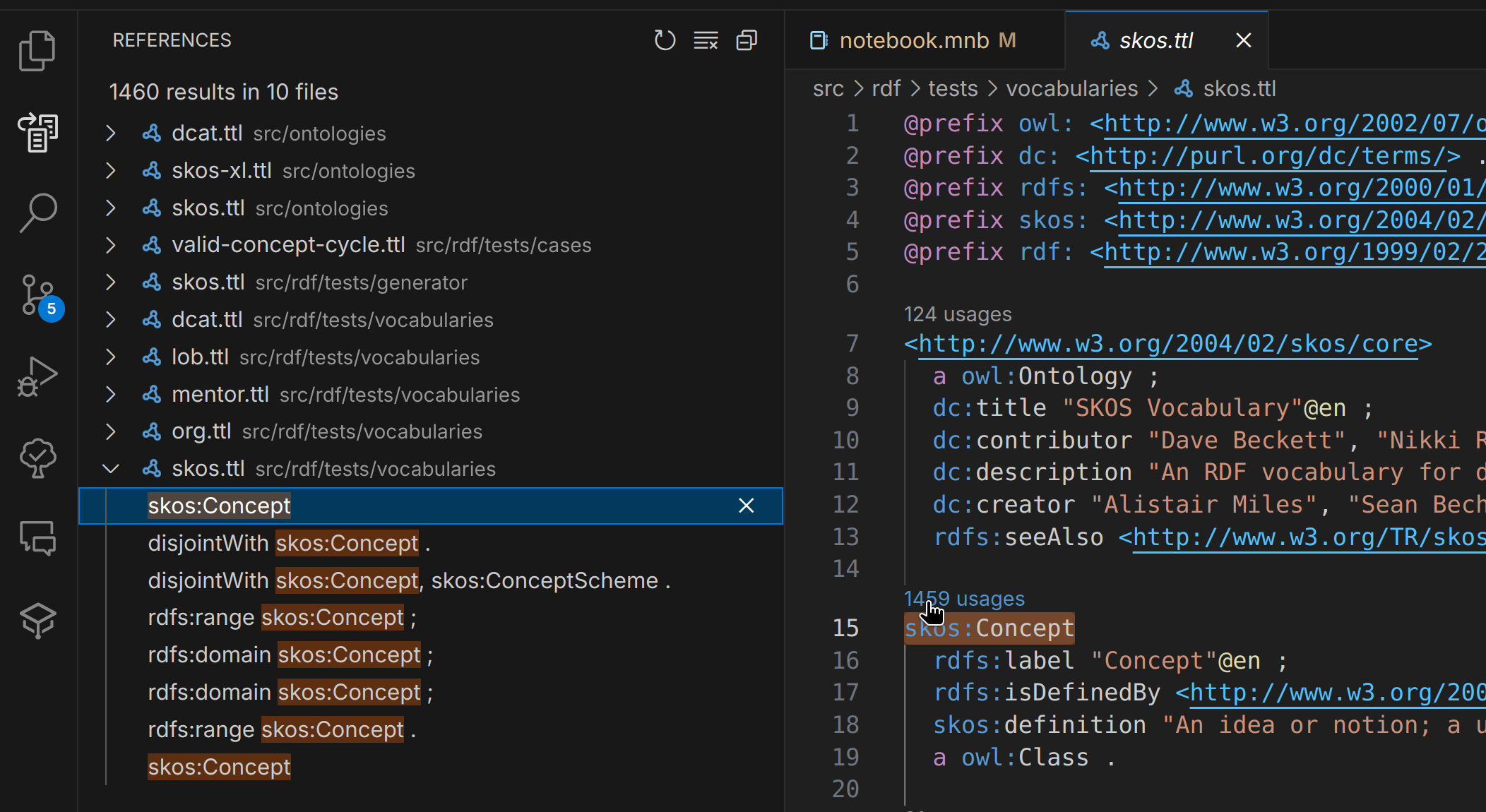
This lens helps you understand the impact of changes to a resource and facilitates refactoring by providing a comprehensive view of its usage. When you click on a usage lens, a reference search is triggered, showing all occurrences in the workspace.
Connections Lens
Section titled “Connections Lens”The Connections Lens displays the SPARQL endpoint the query or notebook cell will be executed against. When clicking on the lens you will be presented with a list of configured SPARQL connections to choose from.

Please refer to the SPARQL Query documentation for more details.