
Prefix Management
One of the less convenient features of working with RDF data is the management of prefixes and namespaces. While this feature enables the global disambiguation and alignment of terminology, looking up prefixes and their associated URIs is a tedious and constantly repeating task. To save you time and effort, Mentor simplifies this process by automating prefix declaration and management where possible.
Automatic Prefix Declaration
Section titled “Automatic Prefix Declaration”When you type a new prefix in an RDF document, Mentor will automatically implement the prefix declaration for you
as soon as you insert a colon : character.
To determine which URI should be assigned to the prefix, Mentor consults the Workspace Index to look for existing prefix mappings in other documents. Preferring existing mappings over others will help you to keep the prefix definitions consistent across your project. Please keep in mind that you should not redefine commonly used prefixes to avoid misunderstandings.
The preference of prefix lookups is as follows:
- Mapping defined in the settings:
mentor.namespaces - Existing prefix mappings in the Workspace Index
- Community-contributed prefixes from the prefix.cc database
Unnamed Prefixes
Section titled “Unnamed Prefixes”When you are editing an RDF document and you type an unnamed prefix (:), then Mentor will automatically
generate a Workspace URI that references the document relative to
the workspace root. By default, Mentor will append a fragment identifier to the workspace relative URI.
Example: When typing the :prefix in a document that is located at /example.ttl, Mentor will generate
the following namespace declaration:
workspace:/example.ttl#This behaviour is different when working in notebook cells, as fragment identifiers are part of the URI scheme for notebook cells. In this case, Mentor will automatically append a query parameter to the URI to ensure that the fragment is preserved.
workspace:/example.mnb#abc123?id=By default, the parameter name is id, but it can be customised in the settings.
prefix.cc Integration
Section titled “prefix.cc Integration”If you start a new project, then you will not have any existing prefix mappings. To help you get started Mentor includes a copy of the prefix.cc database. This database contains thousands of community-contributed RDF prefixes and their corresponding URIs and puts those definitions at your fingertips.
Quick Fixes
Section titled “Quick Fixes”Mentor also provides editor features to help you organise and clean up existing prefix definitions in documents:
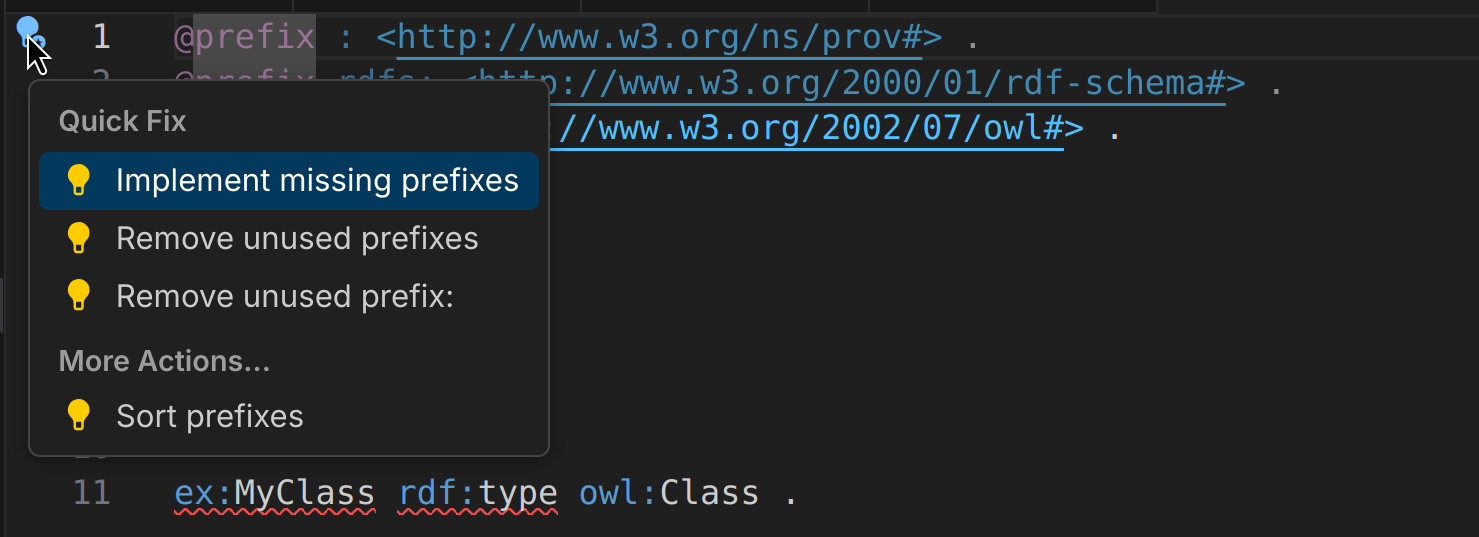
Implement missing prefixes: Implements all undeclared prefixes that are used in the document.Remove unused prefixes: Removes all prefix declarations that are not used anywhere in the document. Unused prefix declarations are slightly shaded to indicate that they can be removed.Sort prefixes: Sorts all prefix declarations in the document according to the Mentor settings.
Settings
Section titled “Settings”The following settings can be used to configure the behaviour of the prefix management features: