
Getting Started
Mentor is an extension for Visual Studio Code, which is an open source integrated development environment (IDE) developed by Microsoft. The super power of VS Code is its extensibility through its vast ecosystem of extensions, which allow 3rd party developers to add new features and functionality to the IDE. At this time, the Marketplace has thousands of extensions available for various programming languages and tasks.
Installing
Section titled “Installing”To get started with Mentor, follow these steps:
- Install Visual Studio Code, VSCodium or in the browser by going to vscode.dev
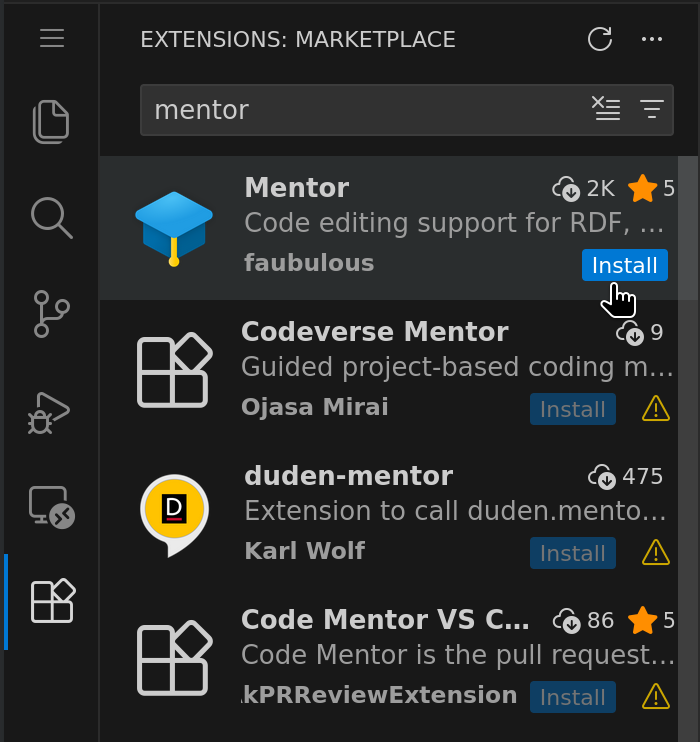
- Go to the Extensions view by clicking on the Extensions icon in the Activity Bar on the side of the window or by pressing
Ctrl+Shift+X(Windows, Linux) orCmd+Shift+X(macOS) - Search for “Mentor” and click “Install” to add the extension to your IDE.
- Open or Create a Workspace
What is a Knowledge Graph?
Section titled “What is a Knowledge Graph?”If you are new to knowledge graphs or want to deep dive on some aspects, we recommend starting with the following freely available resources:
OpenHPI: Knowledge Graphs - Foundations and Applications A comprehensive course on the foundations and applications of knowledge graphs provided by the Hasso Plattner Institute.
RDF 1.1 Primer An introduction to RDF 1.1 provided by the World Wide Web Consortium (W3C).